


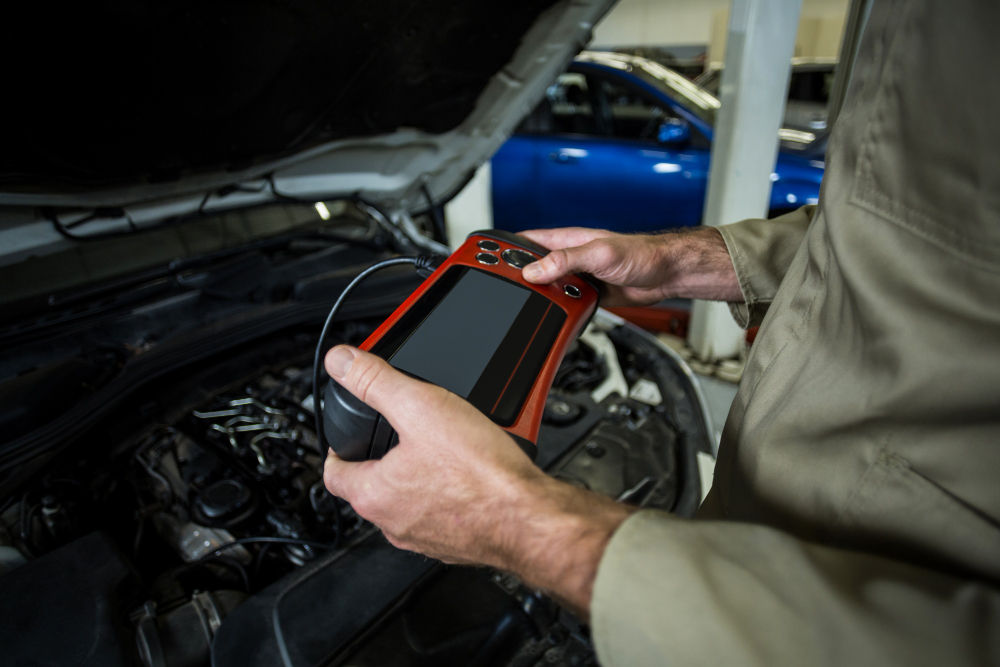
Learning how to use an OBD-II scanner to interpret common check engine light codes is an essential skill for any modern vehicle owner looking to save on diagnostic fees. Since the universal adoption of the On-Board Diagnostics II standard in 1996, every vehicle has functioned as a rolling computer capable of self-reporting mechanical or electrical faults through a standardized interface. By connecting a scan tool to the data link connector, usually located under the dashboard, you gain direct access to the vehicle’s powertrain control module. This process demystifies the dashboard warning light, allowing you to distinguish between minor sensor glitches and critical engine failures. As we move into 2026, these diagnostic tools have become more affordable and sophisticated, providing real-time data streaming that helps you maintain your car’s longevity and performance with professional-grade precision.
Understanding the OBD-II Protocol
The OBD-II system acts as the central nervous system of your vehicle, constantly monitoring performance parameters such as air-fuel ratios, ignition timing, and exhaust emissions. When the computer detects a deviation from factory-set specifications, it stores a Diagnostic Trouble Code (DTC) and triggers the Malfunction Indicator Lamp. These codes are categorized by a specific alphanumeric format, where the first letter denotes the system—P for powertrain, B for body, C for chassis, and U for network communication. Understanding this taxonomy is the first step toward effective troubleshooting.
By utilizing a high-quality scanner, you move beyond simple guesswork and transition into data-driven maintenance. Modern scanners do more than just read codes; they can often provide freeze-frame data, which captures the exact state of the engine sensors at the moment the fault occurred. This snapshot is invaluable for identifying intermittent issues that may not be present while the vehicle is idling in your garage. For further reading on standardized codes, you can visit the Society of Automotive Engineers to see how these universal diagnostic standards are maintained globally.
Connecting Your Scan Tool
Before initiating a scan, ensure your vehicle is parked on a level surface with the ignition in the “On” position, though the engine should remain off unless instructed otherwise by the scanner manual. Locate the 16-pin data link connector, which is typically found within two feet of the steering wheel. Once plugged in, the device will handshake with the car’s computer, a process that usually takes only a few seconds. If the scanner fails to communicate, check your vehicle’s fuse box, as the OBD port often shares a circuit with the cigarette lighter or auxiliary power outlet.
Once the connection is established, the interface will prompt you to select the vehicle year, make, and model to ensure accurate code interpretation. By 2026, most consumer-grade scanners offer Bluetooth connectivity, allowing you to view diagnostics directly on your smartphone screen. This integration simplifies the process of researching specific error codes online. Avoid cheap, uncertified adapters, as they can occasionally cause communication errors with sensitive control modules. Always prioritize scanners that support both generic and manufacturer-specific codes to ensure you see the full picture of your vehicle’s health.
Safety and Diagnostic Precautions
When performing your scan, always be mindful of the electrical load on your battery. Repeatedly running diagnostics with the engine off can quickly drain the charge, potentially leading to a false “low voltage” code. If you are troubleshooting a running engine, ensure the vehicle is in a well-ventilated area to prevent carbon monoxide buildup. Furthermore, never attempt to perform advanced tasks like clearing codes or resetting adaptive learning values without a clear understanding of the consequences, as this can temporarily interfere with emissions testing readiness.
Decoding Common Trouble Codes
Most check engine light triggers fall into a few recurring categories, with P0300 series codes—indicating engine misfires—being among the most frequent. A misfire code often points toward worn-out spark plugs, faulty ignition coils, or fuel delivery issues. Another common culprit is the P0420 code, which signals that the catalytic converter is performing below efficiency threshold. While this can sometimes be caused by a bad oxygen sensor, it often indicates the converter itself is nearing the end of its lifespan. Understanding these common patterns allows you to prioritize repairs based on the severity of the symptoms.
Sensor-related codes, such as those involving the Mass Air Flow (MAF) sensor or the Engine Coolant Temperature (ECT) sensor, are generally easier to address. These components are often accessible and can be cleaned or replaced with basic hand tools. When dealing with these codes, verify all vacuum lines and electrical connectors first, as physical damage to the wiring harness is a common cause of phantom errors. You can research specific repair procedures for your exact vehicle model at the National Highway Traffic Safety Administration database to see if your particular issue is part of a known technical service bulletin.
Comparison of Diagnostic Tools
Not every scan tool is built for the same level of user expertise or diagnostic depth. Choosing the right tool depends on whether you are looking for quick status checks or deep-dive system analysis. The following table illustrates the capabilities of different scanner tiers available in the 2026 market.
| Scanner Type | Primary Use Case | Data Capability | Price Point |
|---|---|---|---|
| Code Reader | Basic DTC reading/clearing | Limited | Low |
| Mid-Range Scanner | Live data & freeze frame | Moderate | Medium |
| Pro-Grade Tablet | Bi-directional control | Extensive | High |
For the average DIY enthusiast, a mid-range scanner is often the “sweet spot,” offering enough functionality to diagnose most common mechanical issues without the steep learning curve of professional diagnostic tablets. These units typically support live data graphing, which is crucial for watching sensor values fluctuate in real-time. By observing whether an oxygen sensor voltage oscillates correctly, you can confirm a fault without throwing expensive parts at a problem. Professional-grade tools, while powerful, are generally overkill unless you are performing advanced tasks like electronic parking brake retraction or module programming.
Interpreting Live Sensor Data
Beyond reading static codes, the ability to interpret live data streams is what separates a novice from an expert technician. Modern OBD-II scanners allow you to monitor Short-Term and Long-Term Fuel Trim values. If your engine is running “lean,” the computer will add more fuel, resulting in positive fuel trim percentages. Conversely, a “rich” condition forces the computer to pull fuel, leading to negative percentages. By observing these values while driving, you can pinpoint whether an issue is caused by a vacuum leak, a faulty fuel pump, or a sensor sending incorrect air-flow data.
When analyzing live data, it is important to understand the concept of “baseline” values for your specific engine. Many online forums and manufacturer-specific wikis provide reference data for healthy operating ranges. If your coolant temperature sensor reports 250 degrees Fahrenheit while the engine is cold, you have an immediate, obvious electrical fault. Similarly, if your throttle position sensor does not track linearly with your pedal input, you have identified the root cause of poor acceleration. Always prioritize the data that changes in response to your input, as this helps isolate mechanical failures from intermittent electrical connectivity issues.
Key Takeaways
- Always verify the OBD-II port location and ensure your scanner is fully compatible with your vehicle’s communication protocol.
- Distinguish between permanent codes, which require repair, and temporary codes that may disappear after a drive cycle.
- Use live data streaming to confirm sensor functionality rather than relying solely on the presence of a trouble code.
- Research codes online using your specific vehicle’s make, model, and engine type for the most accurate diagnostic advice.
- Be cautious when clearing codes; this action resets the vehicle’s readiness monitors, which will cause it to fail an emissions test.
Frequently Asked Questions
Can I drive with the check engine light on?
If the light is solid, you can generally drive for a short period to get to a mechanic, but if the light is flashing, you should pull over immediately to prevent permanent engine damage.
Do I need an expensive scanner to fix my car?
No, most common issues can be diagnosed with mid-range scanners that offer live data, which is far more useful than basic code readers that only provide text descriptions.
Why did the light turn off by itself?
Some faults are intermittent, such as a loose gas cap or a sensor that momentarily went out of range; the computer will clear the light if the fault does not recur.
Will clearing codes fix the underlying problem?
Clearing codes only turns off the dashboard warning; it does not repair the mechanical or electrical failure, and the light will return once the computer detects the issue again.
What are readiness monitors?
These are internal self-tests the car runs on its own systems; if you clear your codes, these monitors reset to “not ready,” and you will not pass an emissions inspection.
Conclusion
Mastering the use of an OBD-II scanner transforms the way you interact with your vehicle, turning a confusing dashboard alert into a clear, actionable repair plan. By understanding the language of your car’s powertrain control module, you can perform preventative maintenance that extends the life of your engine and avoids unnecessary trips to the repair shop. As automotive technology continues to evolve throughout 2026, staying informed about these diagnostic tools ensures you remain in control of your vehicle’s performance. Always approach diagnostics with patience, prioritize live data, and never hesitate to seek professional help for complex electrical or internal engine faults.